Riftwalkers is a GPS-driven real-world strategy game where players capture Rift Portals, recharge them, deploy artifacts, link territory, and create fields for faction dominance.
Current beta guide note
Riftwalkers is live as a web-only beta app while the team tunes balance, fixes gremlins, expands missions, hardens Phantom wallet flows, and keeps polishing the map-first interface before a future Apple App Store and Google Play Store release path.
Important wallet note before you start
Do not use Private Browsing, Incognito, or privacy-isolated browser sessions. Phantom authentication needs normal browser storage and wallet handoff behavior. Private browsing can block or break the Phantom connection flow, which means Riftwalkers may not be able to authenticate your wallet.
CaptureClaim neutral or enemy portals.
RechargeRestore portal energy.
DeployAdd artifact effects.
SpecialsFind Landmark, Nexus, Riftstorm, and Event portals.
LinkLink Portals, Create Fields, and Increase Your Faction's Score to Change the Tide of the Battlefield
Tap a card to preview the core loop.
Smart tutorial modeDevice, wallet, and returning-user hints will appear here automatically.
What’s New in the Current Beta Guide
This refresh brings the tutorial up to the latest live-app work from the last few development pushes: cleaner map-first UI, profile identity, mission polish, badge expansion, Vault refinement, and special portal automation.
Single-piece map UIThe score bar, player identity, energy, XP, build number, and controls now belong to the map instead of floating around like disconnected space junk.
Profile identityPlayers can upload a profile picture. That picture can replace the faction fallback on the HUD, map marker, player battles, portal captor cards, and leaderboards.
Scan, Intel, VaultBattle became Scan, Feed became Intel, and Inventory became the Vault with cleaner modal-based artifact management.
Mission completion polishThe completed-missions view now focuses on rewards, current streak days, share-ready copy, and compact reward display behavior.
Badge endgame expandedBadge families now support Bronze, Silver, Gold, Platinum, and Diamond so Gold is not the end of the road.
Special portal rotationAutomatic special portal assignment can rotate Landmark, Nexus, and Riftstorm portals every 24 to 48 hours. Event portals remain manual.
Player-facing summary
Riftwalkers is still beta, but the shape is much sharper now: enter with Phantom, play from the map, build territory, complete daily and weekly objectives, use the Vault, customize your profile, and keep progressing beyond the easy badge ceiling.
Getting Started
Before entering the map, complete the gateway checks. Nothing fancy. Just the ritual keys.
Mobile wallet browser requirement
For Phantom wallet connection to work properly during beta, use Safari on iOS. On Android, use the phone's default browser. Do not use Private Browsing or Incognito mode. Other browsers may block or mishandle the Phantom connection flow because mobile wallet handoffs are fussy little gremlins.
Minimum beta access
Hold at least 100,000 LUMI in your Phantom wallet before connecting.
Smart checks will summarize wallet/browser readiness here.
Live RiftUI Layout
The live game UI is now built as one map-first battlefield. The score bar, build number, faction/profile identity, energy, XP, and thumb-zone controls are integrated into the map instead of sitting in separate cards.
Vanguard 12.4kvsRaiders 10.8k
Link PreviewOrigin → Target · distance, range remaining, crossing checks, and possible field score stay visible on the map before confirmation.
Scan
Intel
Vault
Tutorial
Bugs
Score BarShows live Luminary Vanguard vs Rift Raiders score in a compact top overlay.
Profile AccessTap the player name, level, or profile/faction icon to reach profile identity and progression views.
Context ControlsScan, Intel, Vault, Tutorial, and Bugs are the primary thumb-zone buttons. Scan can surface nearby enemies or portal actions.
Map-First ModalsVault, missions, profile, and action overlays are tightened so the battlefield stays visible and usable.
Understanding the Map
Your player marker sits inside the active interaction ring. Faction markers are the fallback, but uploaded profile pictures can now replace the player marker and follow the player into profile views, player battles, captor displays, and leaderboards.
LumiNya selected. Player marker and portal preview are set to the Luminary Vanguard.
Profile picture fallback logic
When a player uploads a profile picture, the app uses it in place of the faction badge where identity matters. If no picture exists, the faction marker remains the fallback.
Live Mode
Turn on Live Mode to pull a small nearby portal sample from the public Riftwalkers API. This keeps the tutorial fast while letting players peek at real battlefield data.
Live Mode is off. Demo markers are shown above.
Special Portals
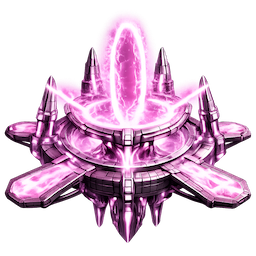
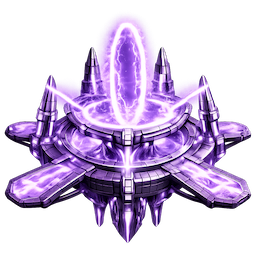
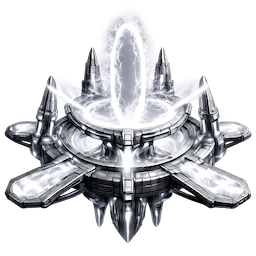
Special portals are battlefield hotspots that stand out visually on the map and change the reward math. The live app now supports faction-owned special portal icons for LumiNya and Nebblip, plus neutral versions for the same portal types.
Automatic rotation
Every 24 to 48 hours, the backend can randomly convert roughly 10% to 15% of eligible portals into automatic specials spread across Riftstorm, Nexus, and Landmark. Event portals are reserved for manual use.
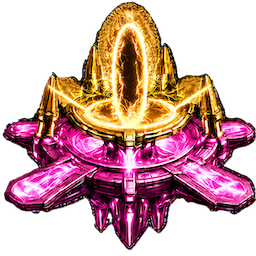
LandmarkGold
Persistent-looking tactical locations with balanced bonuses.
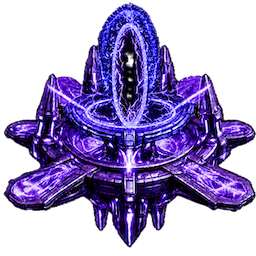
NexusViolet
High-value hubs built for network strategy and link reach.
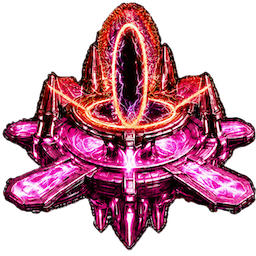
RiftstormStorm
Short-term chaos pockets with the juiciest reward pressure.
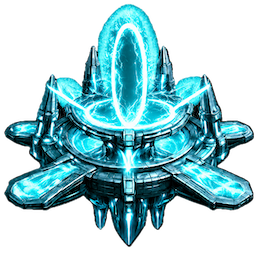
EventManual
Manually placed portals for planned moments and campaigns.
How they appear in-gameSpecial portals get their own icon, halo, ring treatment, type label, tier, and visible bonus text in the portal drawer.
Tap a special portal type to see what it does.
Capturing Portals
Move within the 125-meter range ring, tap a portal, and press Capture. Capture actions use player energy, follow the 3-second cooldown, award XP, grant a Rift Anchor on a successful flip, and can trigger Artifact(s) Award.
Portal is neutral.
Live capture rules:
Attacking does 25 portal-energy damage before bonuses/defense. Recharging friendly portals restores 15 portal energy. Flipping a neutral or depleted enemy portal sets it to your faction at roughly 60% of effective portal capacity.
Linking Portals and Link Previews
Links connect two same-faction portals. The current UI now previews the link directly on the map before the player commits, so the battlefield stays visible instead of hiding the action inside a drawer.
What the preview shows
Origin portal and destination portal.
Distance between portals.
Origin portal's effective link range.
Range remaining or how far over range the target is.
Whether the link would cross an existing link.
Possible field opportunities and estimated field score.
Live linking rules
Source and target must both belong to your faction.
You must be within 125m of the source portal.
Link range is based on the origin portal, including artifacts deployed to that origin portal.
The target portal's artifacts do not limit the origin portal's ability to initiate the link.
Links cannot cross existing valid links.
Standard Links
Standard links are created from a nearby controlled origin portal to an eligible same-faction destination. The backend validates distance, ownership, crossing, duplicate link rules, cooldowns, and field creation.
Rift Anchor Links
Rift Anchors can expose additional eligible targets. If the link succeeds, the anchor is consumed. The link still has to pass origin-range and crossing validation. No free lunch, no cosmic coupons.
Rift Anchors: 1
Ready to preview a valid link. The live UI can focus Origin, Target, or Full Link before creating it.
Creating Fields
Link portals into closed shapes to create fields. The live backend calculates field score from area: score equals floor(square meters / 1,000), with a minimum of 1 point.
Luminary Vanguard Score: 1,240
Three portals are ready.
Vault and Artifacts
The Vault replaces Inventory and groups artifacts by battlefield role: portal attack tools, player battle weapons, player armor, portal boosts, link range boosters, portal defense modules, player energy consumables, player regeneration boosts, and Rift Anchors.
Portal AttackWeapons / ArmorEnergy / Range / Regen
Portal Attack Artifacts Rifts Only
Riftstrike arrows are for damaging portals. They are not player battle weapons.
Player Battle Weapons PvP
Weapons are armed from the inventory and used against nearby enemy players during skirmishes.
Armor PvP Defense
Armor can trigger automatically when another player attacks you, reducing damage, resisting steals, blocking effects, or reflecting damage.
Portal Enhancements As of the Beta Release
Energy Replenishment and Regen As of the Beta Release
Rift Anchors in the Vault
Rift Anchor cards now emphasize useful controls: recharge meter, quantity, recycle behavior for energy recovery, and sending anchors to faction members. Player regen items are automatic, so they do not need a Use button.
Tap an artifact to read its field or battle use.
Player Battles
When enemy faction players get close enough, Scan can reveal battle options. Open it, choose a nearby enemy, arm a player weapon if you have one, and strike. If no enemies are in range, battle actions stay out of the way.
Battle range and cooldown
Enemy players must be within roughly 75m.
Battle strikes use a 15-second cooldown.
Only attack_ player weapons can be used in PvP.
Riftstrike arrows remain portal-only.
What a strike can do
Drain enemy player energy.
Use weapon bonuses and charges.
Attempt to steal one inventory artifact.
Trigger defender armor, blocks, or reflected damage.
Award Battle XP and Defense XP.
Enemy Energy: 180
Enemy nearby. Scan has battle actions available.
Battle Intel
Notable player battles can appear in Intel: stolen artifacts, big hits, epic or legendary weapons, epic or legendary armor triggers, reflected damage, and other moments worth showing without turning the feed into a receipt printer.
Attack XPStrike, damage, weapon use, steals, and big hits.
Defense XPSurvive, block, reflect, and deny steals.
Battle BadgesRift Duelist and Aegis Sentinel progress from PvP stats.
Tap a battle card for more detail.
Daily and Weekly Missions
The Missions drawer has two tabs: Daily and Weekly. The Missions button appears only when at least one Daily or Weekly objective still needs work, and disappears once everything has been completed and claimed.
Daily Objectives
Daily missions are the short loop: captures, recharge actions, links, field creation, artifact collection, energy collection, exploration, and other bite-sized battlefield chores that actually matter.
Weekly Campaign
Weekly missions are larger objectives with bigger payouts. Walking missions scale from roughly 1 km to 5 km, pushing players to move through the real world instead of fossilizing beside one comfy portal.
Mission Types
CaptureClaim Rift Portals.
RechargeRestore friendly portal energy.
LinkCreate portal links.
FieldsCreate scoring fields.
VaultCollect, deploy, arm, or use artifacts.
JourneysWalk real-world distance.
ExplorationVisit and discover new portals.
BattleFight nearby enemies.
Mission Flow
Completed missions overlay
The completed view is now tighter: Daily Missions Completed stays on one line, reward text uses All rewards claimed. Current Streak: # Days., reward cards can be swiped horizontally when multiple bonuses are granted, and share placeholders are ready for Facebook, Instagram, and X.
FacebookInstagramX
Tap a mission type to explain the objective.
Badges Expanded Tiers
Badges now stretch farther than the original Bronze, Silver, and Gold ladder. Platinum and Diamond editions extend the chase for captures, links, fields, artifacts, missions, recharges, exploration, energy collection, journeys, player attacks, and defense.
Tier logic:
Bronze starts the trail, Silver proves consistency, Gold says the map has your fingerprints on it, Platinum marks serious commitment, and Diamond is the long-haul flex.
How to use this page:
Tap a badge family to see what behavior it rewards. In-game, badge details can be opened from the profile screen.
Tap a badge family to see what it rewards.
Beta Access and Holder Perks
The Riftwalkers beta requires at least 100,000 LUMI in a Phantom wallet.
LUMI Held
Benefit
100,000+
Beta access
250,000+
XP bonus
500,000+
XP starter artifacts
1,000,000+
Elite start pack
10,000,000+
Sovereign founder bonus
Roadmap
Riftwalkers is starting as a web beta so the core loop can be tested, tuned, expanded, and hardened before the app-store era begins.
NFT IntegrationsConnect future NFTs with identity, collectibles, unlocks, and gameplay utility.
Utility Token EarningsBuild toward activity-based rewards that can transfer into tangible benefits.
User Submitted PortalsSubmit new portal candidates with names and automatic GPS location data.
App Store PathPolish the beta first, then move toward Apple App Store and Google Play Store releases.
Swipe sideways to explore the roadmap.
Near-term focus
Stability, bug fixes, smoother onboarding, Phantom handoff hardening, link preview polish, mission balance, badge clarity, Vault controls, and better rewards.
Long-term direction
Deeper ownership, expanded utility, new portal discovery loops, user-submitted portal growth, and a stronger bridge between digital gameplay and real-world value.
Tap a roadmap card to see where this feature is headed.
Pro Tips
Once the basics are clear, this is where players start becoming a problem for the other faction. Use these as quick strategic anchors.
Build triangles first
Small fields teach route discipline and score faster than chasing one giant field before your network is stable.
Recharge before you roam
A half-charged portal is a gift basket for the enemy. Top off key portals before leaving the area.
Use anchors with intent
Rift Anchors are precious. Spend them on remote recharge or anchor-link plays that protect a field plan.
Do not waste range boosts
Range artifacts matter most in sparse areas, cross-town corridors, and field routes where one long link changes the map.
Attack defended portals with offense
Defense artifacts blunt pressure. Bring Riftstrike Arrows when you are trying to crack a fortified portal.
Arm the right PvP weapon
Player weapons are separate from portal Riftstrikes. Use Pulse Sling or Starbreaker Prism when a higher-level enemy needs a reality check.
Armor saves inventory
Armor can reduce damage, resist artifact theft, block control effects, or reflect damage. Keep some ready before walking into enemy territory.
Streaks compound value
Daily missions are not just chores. Streak behavior improves the reward rhythm and keeps progression moving.
Battlefield mindset
Capture clusters, protect chokepoints, link cleanly, and keep enough energy in reserve for the next fight. The map rewards patience right before it rewards audacity.
You’re Ready to Walk the Rift
Capture clusters. Recharge smart. Link carefully. Build fields. Battle nearby enemies. Watch the map breathe. For wallet connection during beta, remember: Safari on iOS, default browser on Android, and no Private Browsing or Incognito mode. Then make the other faction wonder who left the cosmic door unlocked.
 CaptureClaim neutral or enemy portals.
 RechargeRestore portal energy.
 DeployAdd artifact effects.
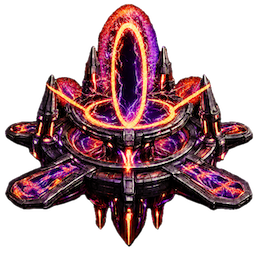 SpecialsFind Landmark, Nexus, Riftstorm, and Event portals.
 LinkLink Portals, Create Fields, and Increase Your Faction's Score to Change the Tide of the Battlefield
 Landmark
 Nexus
Nexus
 Event
Event
 VaultCollect, deploy, arm, or use artifacts.
 JourneysWalk real-world distance.
 ExplorationVisit and discover new portals.
 NFT IntegrationsConnect future NFTs with identity, collectibles, unlocks, and gameplay utility.
 Utility Token EarningsBuild toward activity-based rewards that can transfer into tangible benefits.
 User Submitted PortalsSubmit new portal candidates with names and automatic GPS location data.
 Beta ExpansionGrow profile identity, missions, badges, battles, Intel events, Vault actions, and balance tuning.